
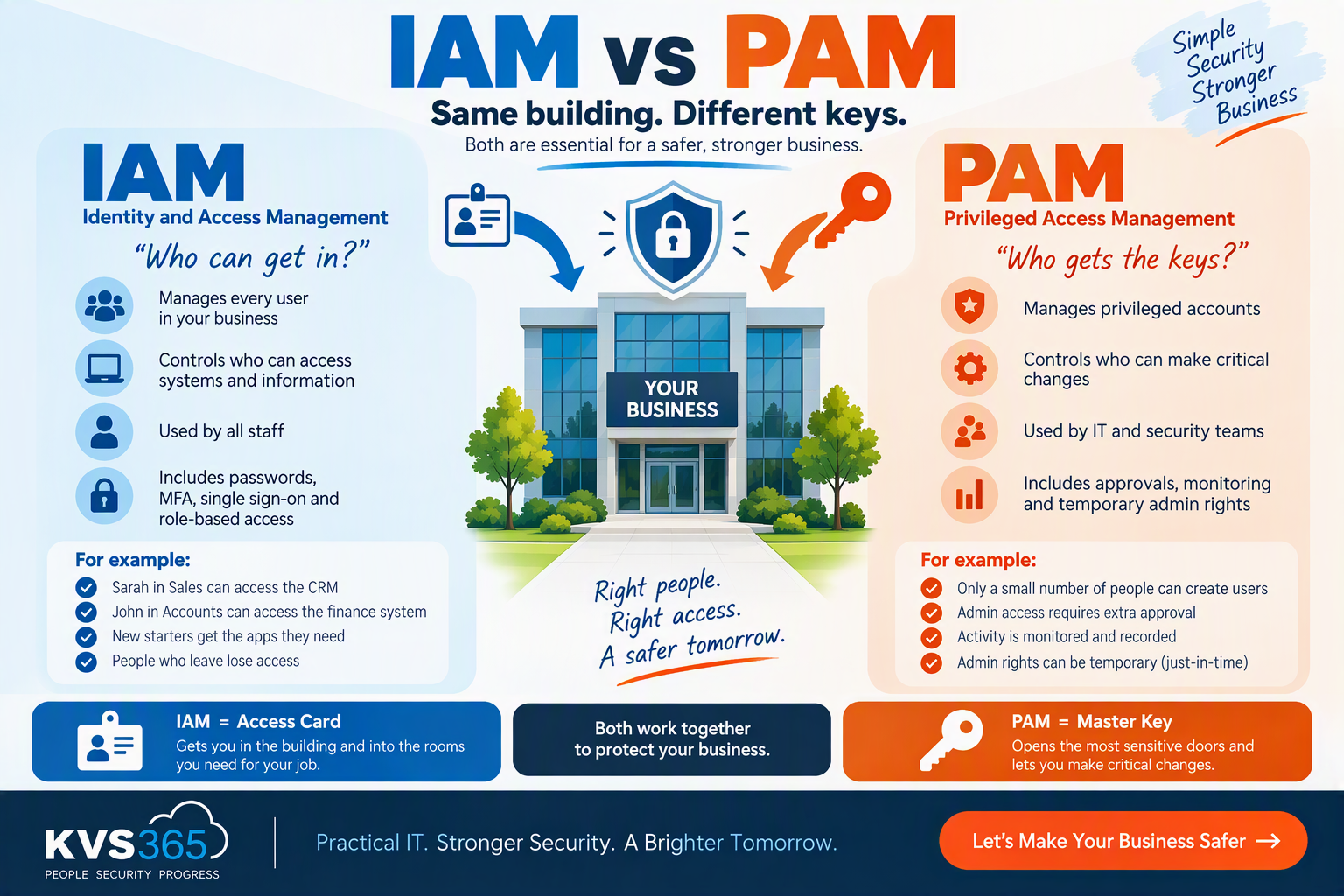
IAM vs PAM Explained
Why every business owner should know the difference
If you’ve ever heard IT people talk about IAM and PAM, it can sound like yet more confusing jargon. The good news? The ideas behind them are really simple.
Think of it like looking after access to your office building.
IAM
Decides who can come into the building and which rooms they can go into.
PAM
Controls who gets the master keys, the alarm codes and access to the server room.
What is IAM?
Identity and Access Management (IAM) is about setting up user accounts and controlling what each person can get into. For example:
- John in Accounts can use the finance system
- Sarah in Sales can use the CRM
- New starters get the apps they need from day one
- People who leave lose their access straight away
The aim is simple: the right people get access to the right things at the right time.
In Microsoft 365, IAM covers things like user accounts, password rules, multi-factor authentication (MFA), single sign-on, role-based permissions and your starters and leavers process.
What is PAM?
Privileged Access Management (PAM) is the part of IAM that looks after your most powerful accounts. These are the accounts that can:
- Install software
- Create or delete users
- Change security settings
- Get into sensitive company data
- Control servers and cloud systems
Going back to our building: IAM hands out the access cards. PAM guards the safe that holds the master keys.
Cyber criminals love these accounts. Get hold of one and they can often get into everything.
A Simple Real-World Example
Picture a company with 20 staff.
IAM in action
Everyone has their own Microsoft 365 account:
- ✅ All staff can use email
- ✅ Sales can use the CRM
- ✅ Finance can use the accounts system
Each person gets access based on their job.
PAM in action
Only two people can create users, change security settings or hand out admin rights. Before they do, they may need to:
- 🔑 Get approval
- 🔑 Prove who they are with extra checks
- 🔑 Use admin rights that only last a short time
- 🔑 Have their admin activity recorded
Why Businesses Need Both
Lots of businesses think MFA on its own solves the problem. It doesn’t.
IAM makes sure people only get access to what they need. PAM protects your most powerful accounts if something goes wrong.
Without the right controls in place:
- People who have left may still have access
- Staff may have far more access than they need
- One stolen admin account could expose the whole business
Criminals are going after logins more and more, because stealing a password is often easier than breaking into a system.
PAM controls who gets power.
Where Does Microsoft 365 Fit In?
If your business uses Microsoft 365, many of these tools are already available to you:
IAM features
- Microsoft Entra ID
- Multi-factor authentication
- Conditional Access
- Self-service password reset
- Role-based access
PAM features
- Privileged Identity Management (PIM)
- Just-in-time admin access
- Approval steps
- Access reviews
- Monitoring of admin roles
The rule to follow: give people the least access they need, for only as long as they need it.
IAM vs PAM: Quick Comparison
| 🪪 IAM | 🔑 PAM |
|---|---|
| Manages every user | Manages powerful (admin) accounts |
| Controls who can get into systems | Controls who can make big changes |
| Used by all staff | Used by IT and security teams |
| Covers everyday access | Covers high-risk access |
| Includes MFA and single sign-on | Includes approvals, monitoring and short-term admin rights |
Final Thoughts
IAM and PAM aren’t rivals. They work together.
For most small businesses, strong IAM with MFA is the place to start. As you grow, PAM becomes essential to protect your critical systems.
“Who are you?”
“Should you really have that much power?”
Not Sure Who Holds the Keys in Your Business?
Too many admin accounts? Leavers who still have access? We’ll find the gaps in your Microsoft 365 security, access controls and Cyber Essentials readiness. No jargon.
Get Your Free Cyber Assessment
Leave a Reply